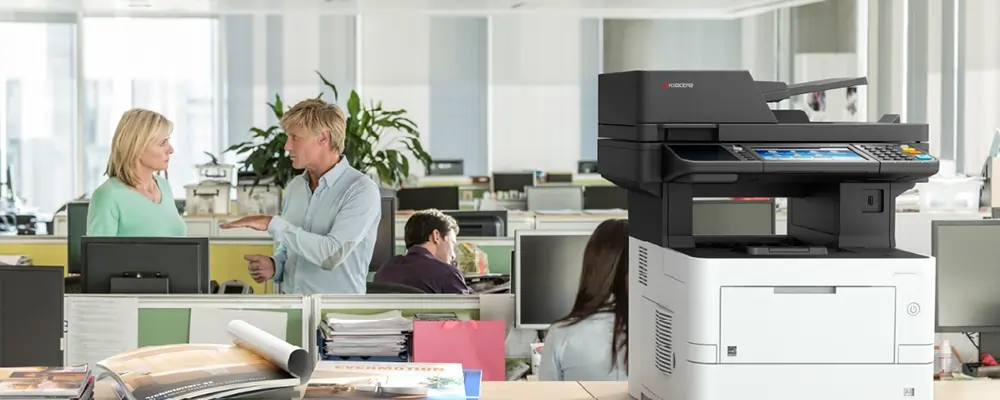
A comprehensive guide that considers the latest features and business benefits based on usage trends when setting up a rental printer for office use in 2026.
According to current data, more than 48% of businesses have recently implemented the printer rental method. This is because the modern world demands adaptability.
In our 26 years of providing printing services in Abu Dhabi at Printersforrent.ae, we have seen firsthand how important a proper printer setup is to transforming your working environment.
This article covers every step of setting up a rental printer for office use. You will gain a better understanding of installation, configuration, network connectivity, and usability suited to contemporary business needs.
First, find out if your printer is an inkjet, multifunction inkjet, ink tank, or laser. Multifunction inkjet printers, which are ideal for hybrid office environments due to their wifi compatibility, print, scan, and copy features, account for more than 41% of UAE's inkjet market. Ink tanks are expanding at a CAGR of about 12% thanks to high-yield and eco-refill technologies. Laser printers are still the best choice for fast monochrome printing in document-intensive applications.
You can have contemporary capabilities without having to pay for capital expenditures if you set up your rented printer correctly. All upkeep and improvements will be handled by the provider, freeing up your staff to work on critical initiatives. Renting promotes flexible financial planning and scalable support.
Take the printer out of its packaging and place it on a sturdy base with a mains hookup, a network point, and unhindered ventilation. In addition to a low-power standby cycle, many devices offer automatic power calibration. Once the paper tray has been opened and secured, insert the power cord into the wall. Make that the front fill door opens without any issues if the model has refillable ink tanks.
Three-link methods are accepted in rented flats.
In most offices, a cable to the wall socket is the fastest option to set up and meets the current single-sign-on rules. Using the integrated website or the Wi-Fi front panel, input the network name or password. After the connection is working, take note of the IP address that shows up on the screen; driver configuration will require this.
Strong network links matter - last year, 42 per cent of all rented printers joined a cloud or IoT platform, which lets support staff check status from a distance and replace parts before failure, raising working hours by up to 22 percent.
Use the universal driver that is kept inside the printer or download the precise driver set from the vendor's website. Add a new printer to each computer and use the IP address you recorded or the network name to connect it to the device. If the site requires color or duplex, turn them on. To enable the full multifunction pack on Mac computers, load the most recent P-touch driver as well.
In the admin panel or driver options, set the default behaviour:
For safe access, a lot of office rental printers now have PIN or badge release capabilities. To defend against outside attacks, turn on SMT PS filtering and network encryption (WPA2 or higher) for Wi-Fi models.
Support and toner or ink replenishment are two important advantages of renting a printer. Predictive analytics are frequently provided by contemporary rental businesses, resulting in a nearly 22% decrease in downtime. Make plans for:
When managing conferences or document cycles for the fiscal year, our UAE clients especially appreciate this continuity. Without taxing the IT team, it maintains efficient workflows.
Testing the print functionality from a smartphone or a cloud profile is crucial because cloud integration is now widespread, with over 64% of rental suppliers offering this feature.
The ink tank printers were successfully used for event badges and manuals for the UAE startup camps in Abu Dhabi, producing 8000 prints per refill bottle with little pauses. The multifunction printers were utilized for HR documentation at the UAE startup camps in Abu Dhabi, and analytics were used to optimize consumables.
Aligning the printing requirements with the development curve of your project or team size is a benefit of this economical option that requires little initial investment.
If you require integrated setups with printers for temporary tasks, check out our workstation rental options. Take a look at our MacBook rental options for high-end portable printing made for creative teams. Our projector rental works well with hybrid presentations if you also need display support for print review sessions.
It now seems obvious and doable to set up a rental printer for your office. Without investing money or taxing your IT staff, you now know how to unpack, network connect, install drivers, secure print jobs, enable mobile access, and coordinate maintenance.
This setup satisfies modern workplace needs for hassle-free, adaptable print solutions that accommodate your hybrid workforce and evolving document requirements in Abu Dhabi.